



在 CSS 中,当多个选择器同时作用于同一个元素时,可能会出现样式冲突的情况。为了解决这些冲突,CSS 定义了选择器优先级的规则,用于决定哪个样式最终生效。
CSS 选择器优先级规则
在 CSS 中,选择器优先级是根据选择器的类型和组合方式来计算的。优先级高的选择器会覆盖优先级低的选择器。
选择器优先级通常通过一个四位数字表示:(a, b, c, d),每一部分对应不同的选择器类型:
a:!important(权重最高)。b:ID 选择器(如 #myId)。c:类选择器、属性选择器和伪类选择器。d:标签选择器和伪元素选择器(如 div、::before)。
其中,优先级的计算规则如下。
- 每种选择器类型对应一个权重值。例如,一个 id 选择器增加 (0, 1, 0, 0),一个类选择器增加 (0, 0, 1, 0)。
- 组合选择器(如 div.myClass#myId)的优先级是各个选择器权重的累加。
- !important 声明具有最高优先级,它会覆盖其他任何选择器。
- 如果优先级相同,则后定义的样式覆盖先定义的样式(层叠性)。
| 选择器 | 示例 | 权重 |
|---|---|---|
| !important | color: red !important; | (1, 0, 0, 0) |
| 内联样式(style 属性) | <div style="color: red"> | (1, 0, 0, 0) |
| id 选择器 | #header | (0, 1, 0, 0) |
| 类选择器、属性选择器、伪类选择器 | .article、:hover | (0, 0, 1, 0) |
| 标签选择器、伪元素 | div、::before | (0, 0, 0, 1) |
| 通配符选择器(*) | * | (0, 0, 0, 0) |
对于初学的小伙伴,我们只需要记住下面这句规则即可。能把上面这句规则记住,已经足够我们应对大多数情况了。
!important > 内联样式 > id 选择器 > class 选择器 > 元素选择器CSS 选择器优先级示例
接下来,我们通过几个简单的例子来讲解 CSS 选择器优先级是如何判断的。
示例 1:CSS 选择器优先级比较
<!DOCTYPE html>
<html>
<head>
    <meta charset="utf-8">
    <title>CSS Selector Priority</title>
    <style>
        div {
            color: blue;     /* 优先级 : (0, 0, 0, 1) */
        }
        .myClass {
            color: green;    /* 优先级 : (0, 0, 1, 0) */
        }
        #myId {
            color: red;      /* 优先级 : (0, 1, 0, 0) */
        }
    </style>
</head>
<body>
    <div id="myId" class="myClass">绿叶网</div>
</body>
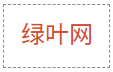
</html>页面效果如下图所示。
分析:
在这个例子中,div 元素同时被 3 种选择器(即 div、.myClass、#myId)影响。由于 id 选择器的优先级高于 class 选择器和元素选择器,因此文字颜色最终为红色。
示例 2:组合选择器与伪类选择器
<!DOCTYPE html>
<html>
<head>
    <meta charset="utf-8">
    <title></title>
    <style>
        .container p {
            color: blue;         /* 优先级 : (0, 0, 1, 1) */
        }
        #content .text:hover {
            color: green;        /* 优先级 : (0, 1, 2, 0) */
        }
        .text {
            color: red;          /* 优先级 : (0, 0, 1, 0) */
        }
    </style>
</head>
<body>
    <div class="container" id="content">
        <p class="text">绿叶网</p>
    </div>
</body>
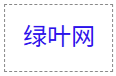
</html>页面效果如下图所示。
分析:
在这个例子中,p 元素受到以下 3 种选择器作用:
- .text:class 选择器,最终权重为:
((0, 0, 1, 0))。 - .container p:class 选择器加标签选择器,最终权重为:
((0, 0, 1, 1))。 - #content .text:hover:id 选择器加 class 选择器,最终权重为:
((0, 1, 2, 0))。
默认情况下,.container p 优先级高于 .text,因此文本为蓝色;当鼠标移到 p 元素上时,由于 #content .text:hover 优先级最高,因此文本会变为绿色。
示例 3:优先级相同时的层叠性
<!DOCTYPE html>
<html>
<head>
    <meta charset="utf-8">
    <title></title>
    <style>
        .highlight {
            color: blue;     /* 优先级 : (0, 0, 1, 0) */
        }
        .highlight {
            color: green;    /* 优先级 : (0, 0, 1, 0) */
        }
    </style>
</head>
<body>
    <p class="highlight">绿叶网</p>
</body>
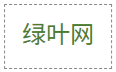
</html>页面效果如下图所示。
分析:
在这个例子中,p 元素受到 2 个 .highlight 选择器的影响。由于它们的优先级相同,因此后定义的样式(color: green)覆盖先定义的(color: blue)。
