



CSS animation-fill-mode 语法
在 CSS 中,animation-fill-mode 属性用于控制元素在动画开始之前和结束之后的样式表现。它可以帮助你更灵活地管理动画过程中的过渡效果。
语法:
animation-fill-mode: 关键字;说明:
animation-fill-mode 属性取值是一个关键字,如下所示。
none(默认值):- 动画在执行之前和结束之后,不会对元素应用任何样式。
- 动画开始前,元素保持其在普通 CSS 中定义的样式。
- 动画结束后,元素会 立即恢复原本的样式,不会保留动画的最后状态。
- 适合:不希望动画影响最终页面状态的场景。
forwards:- 动画在播放结束后,会保持其最终计算的样式值(即动画结束时的最后一帧样式)。
- 即使动画播放结束,元素依然保持结束状态。
- 适合:希望动画结果持续存在,例如按钮变色后保持高亮。
backwards:- 动画尚未开始(比如等待 animation-delay 时),元素会 先显示动画起始帧的样式。
- 动画播放期间结束后,元素会恢复原本的样式(除非同时设置了 forwards)。
- 适合:希望动画延迟期间就表现出动画起点样式。
both:- 结合了 forwards 和 backwards 的效果。
- 在动画开始之前(延迟期间),会应用动画的起始样式。
- 动画结束后,保留最后一帧样式。
- 适合:需要动画前后都展示动画样式的完整效果。
当你使用 animation-delay 设置动画延迟时,理解 backwards 和 both 的表现尤为重要。想让动画 “留下痕迹”?那就使用 forwards 或 both。想让动画 “无痕而过”?那就使用 none。
提示: animation-fill-mode 属性适用于所有元素,包括伪元素(::before 和 ::after)。
CSS animation-fill-mode 摘要
| 属于 | CSS 动画 |
|---|---|
| 使用频率 | 中 |
| 是否继承 | 否 |
| 默认值 | none |
| 兼容性 | 查看 |
| 官方文档 | 查看 |
| MDN | 查看 |
CSS animation-fill-mode 示例
接下来,我们通过一个简单的例子来讲解一下 animation-fill-mode 属性是如何使用的。
示例:animation-fill-mode 基本用法
<!DOCTYPE html>
<html>
<head>
    <meta charset="utf-8">
    <title></title>
    <style>
        /* 定义动画 */
        @keyframes slideInRight {
            0% { transform: translateX(0); }
            100% { transform: translateX(200px); }    /* 移动到 200px 处 */
        }
        body {
            display: flex;
            flex-direction: column;
            justify-content: center;
            align-items: center;
        }
        div {
            display: flex;
            justify-content: center;
            align-items: center;
            width: 150px;
            height: 100px;
            background-color: lightseagreen;
            color: white;
            font-size: 1.5em;
            font-weight: bold;
            border-radius: 10px;
            /* 初始位置,会被动画的 0% 覆盖 */
            transform: translateX(0);
            opacity: 1;
            /* 动画设置 */
            animation-name: slideInRight;
            animation-duration: 1.5s;
            animation-timing-function: ease-out;
            animation-iteration-count: 1;      /* 只播放一次 */
            animation-fill-mode: forwards;     /* 动画结束后保持最终状态 */
        }
    </style>
</head>
<body>
    <div>绿叶网</div>
</body>
</html>页面效果如下图所示。
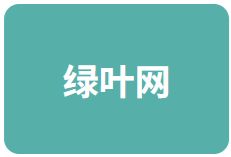
分析:
在这个例子中,我们定义了一个名为 “slideInRight” 的动画。在该动画中,元素从左侧滑入并渐显。
animation-iteration-count: 1; 确保动画只播放一次,而 animation-fill-mode: forwards; 是关键。结果是,动画播放结束后,元素会保持其在 100% 关键帧定义的所有样式(transform: translateX(200px); opacity: 1;),而不会跳回它在 CSS 规则中定义的原始状态。
animation 是一个复合属性
在 CSS 中,animation 是一个复合属性,它包含以下子属性(如下表所示)。
| 子属性 | 说明 |
|---|---|
| animation-name | 定义要应用的动画名称 |
| animation-duration | 定义动画的持续时间 |
| animation-timing-function | 定义动画的速度曲线 |
| animation-delay | 定义动画的延迟时间 |
| animation-iteration-count | 定义动画的重复次数 |
| animation-direction | 定义动画的方向 |
| animation-play-state | 定义动画的播放状态(运行或暂停) |
| animation-fill-mode | 定义动画在播放之前和之后如何应用样式到元素 |
