



CSS background-attachment 语法
在 CSS 中,background-attachment 属性用于定义背景图片是 “随元素一起滚动” 还是 “固定不动” 。
语法:
background-attachment: 关键字;说明:
background-attachment 的取值有 2 种,如下表所示。
| 取值 | 说明 |
|---|---|
| scroll(默认值) | 背景相对于元素边框固定。如果元素内部有滚动条,滚动内容时,背景不会动。 |
| fixed | 固定不动 |
| local | 背景相对于元素内容固定。滚动内容时,背景会随内容一起滚动 |
注意: background-attachment: fixed; 在移动端浏览器(尤其是 iOS Safari)中支持较差,可能会导致背景无法固定或滚动卡顿。因此在移动端项目中,小伙伴们要谨慎使用。
CSS background-attachment 摘要
| 属于 | CSS 背景 |
|---|---|
| 使用频率 | 低 |
| 是否继承 | 否 |
| 默认值 | scroll |
| 兼容性 | 查看 |
| 官方文档 | 查看 |
| MDN | 查看 |
CSS background-attachment 示例
接下来,我们通过一个简单的例子来讲解一下 CSS background-attachment 属性是如何使用的。
示例:background-attachment 基本用法
<!DOCTYPE html>
<html>
<head>
    <meta charset="utf-8">
    <title></title>
    <style>
        div {
            width: 400px;
            height: 2000px;
            border: 1px solid silver;
            background-image: url(imgs/bird.jpg);
            background-repeat: no-repeat;
            background-attachment: fixed;
        }
    </style>
</head>
<body>
    <div></div>
</body>
</html>页面效果如下图所示。
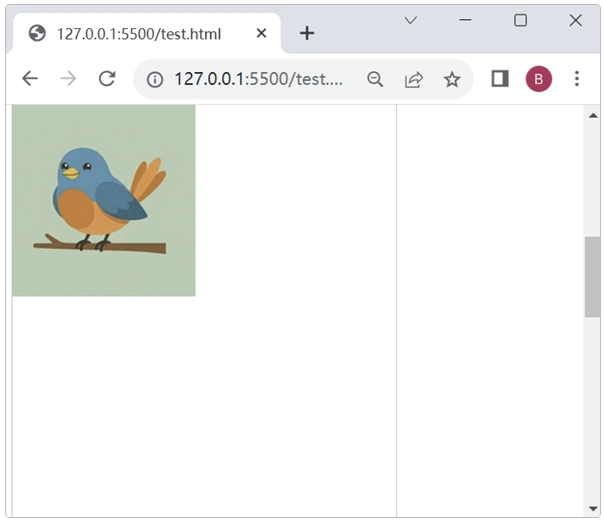
分析:
我们在本地浏览器中拖动右边的滚动条会发现,背景图片在页面固定不动了。如果把 background-attachment: fixed; 这一行代码去掉,背景图片就会随着元素一起滚动。小伙伴们可以自行试一下。
